




The Ins and Outs of LED Bias Lighting
LED bias lighting is one of those inexpensive upgrades that can make a TV or monitor setup feel noticeably more polished. A simple strip of LEDs mounted behind the screen can improve perceived contrast, reduce the harshness of watching a bright display in a dark room, and add atmosphere to a gaming or home-theater setup.
But not all bias lighting works the same way. Some products are designed for accurate, neutral illumination, while others focus on colorful RGB effects and screen synchronization. Here’s what you should know before deciding whether LED bias lighting is worth adding to your setup.
What Is LED Bias Lighting?
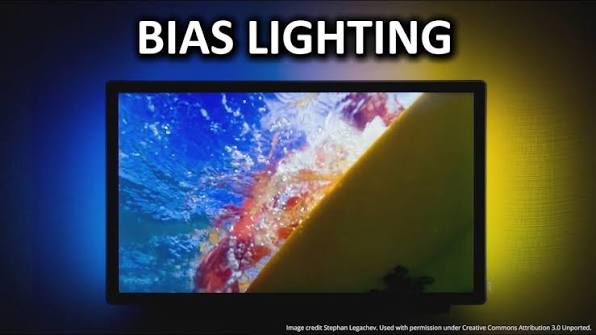
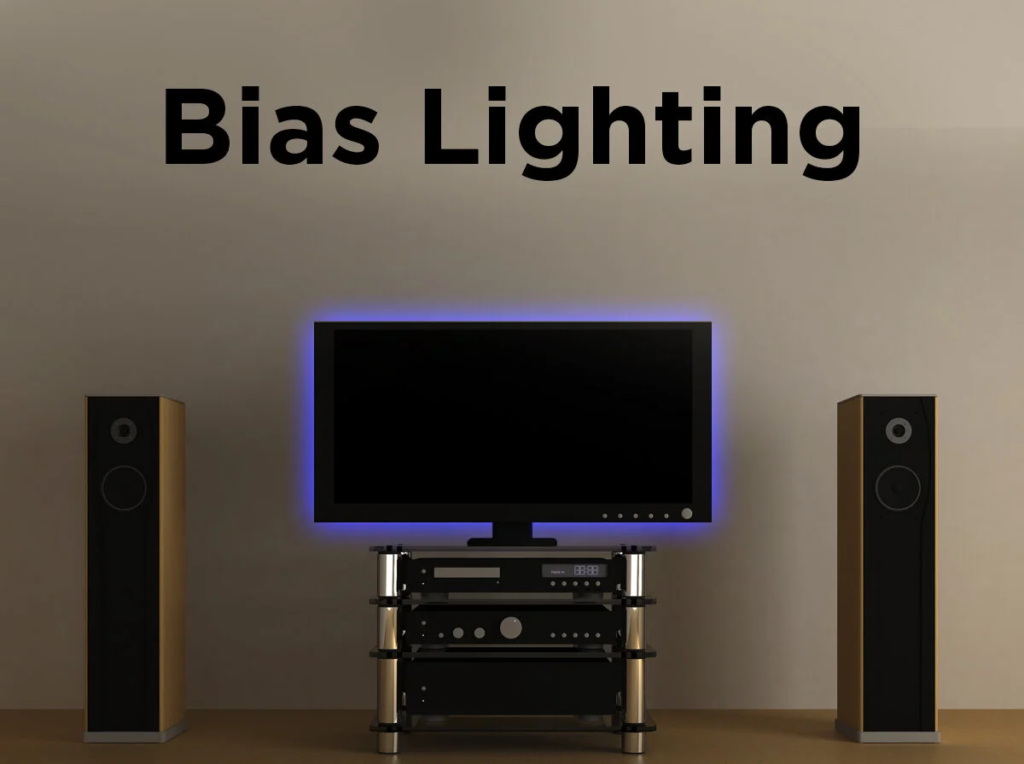
Bias lighting is a light source positioned behind a television or computer monitor. Instead of shining toward the viewer, it illuminates the wall behind the display.
Traditional bias lighting normally uses a neutral white light. Modern LED systems have expanded the idea considerably, offering RGB colors, animated effects, app control, music synchronization, and even real-time colors that correspond to what’s happening on the screen.
The basic principle, however, remains the same: create controlled ambient illumination around the display rather than watching a bright screen against a completely dark background.
How Does Bias Lighting Work?
Imagine watching a movie in a completely dark room. Your TV may be producing very bright highlights while everything surrounding it is nearly black. Your eyes continuously adapt to that extreme difference.
When a soft light illuminates the wall behind the TV, the transition between the bright display and the surrounding room becomes less severe.
Interestingly, this can also affect how the picture appears. A dark area on the screen may seem deeper and more convincing when surrounded by controlled ambient illumination. Bias lighting doesn’t actually improve the TV’s black level, but it can improve perceived contrast.
White Bias Lighting vs RGB Lighting
This is probably the most important distinction when choosing a system.
White bias lighting
For serious movie watching, photo editing, video editing, and other situations where color accuracy matters, neutral white illumination is usually the better choice.
A commonly used reference point is approximately 6500K (D65). This is particularly useful because D65 is widely used as a reference white point in video and display calibration.
Good white bias lighting should also reproduce colors accurately rather than having an obvious blue, green, or magenta tint.
RGB bias lighting
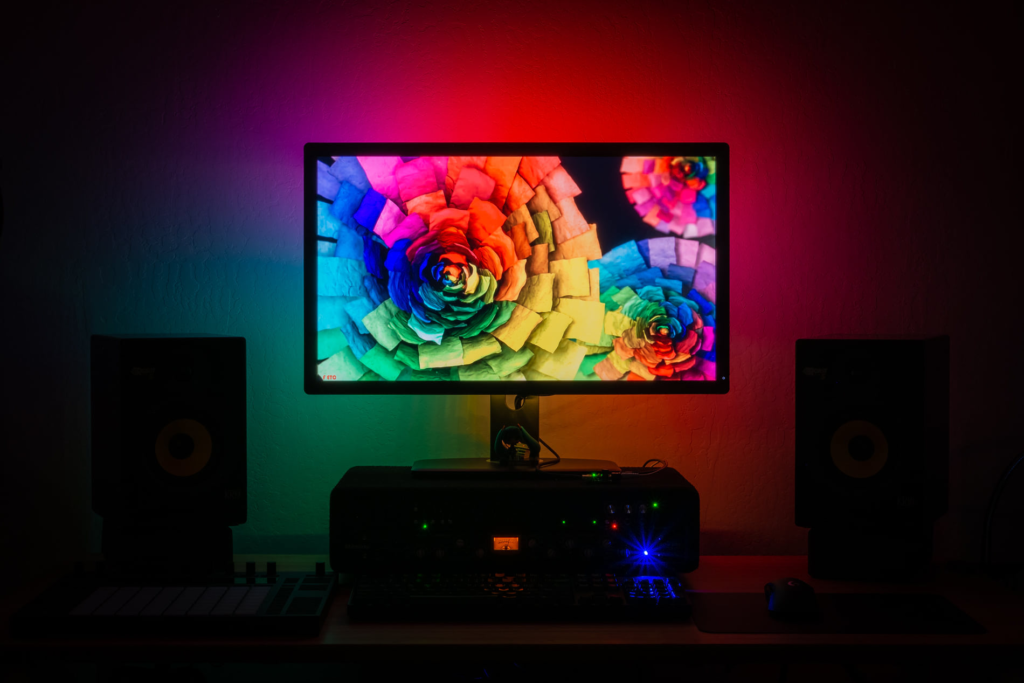
RGB and RGBIC strips prioritize atmosphere rather than strict accuracy.
You can make the wall blue while gaming, orange during a party, purple while listening to music, or create multicolor gradients around the television.
RGBIC systems are particularly interesting because different sections of the strip can display different colors simultaneously.
For entertainment setups, this can look spectacular. For color-critical work, however, colorful illumination can influence your perception of the colors on the display.
Screen-Synchronized LED Lighting
One of the biggest developments in LED bias lighting is real-time screen synchronization.
Instead of displaying one static color, the LEDs reproduce colors corresponding to different areas of the picture.
For example, if an explosion occurs on the right side of the TV, the LEDs behind that part of the screen might turn orange. A blue ocean scene can spread blue illumination across the wall.
There are two major ways these systems determine what’s happening on screen.
Camera-based systems use a small camera pointed toward the display. Software analyzes the image and tells the LEDs which colors to produce. The major advantage is broad compatibility because the system can react to practically anything displayed on the television.
HDMI-based systems analyze an HDMI video signal directly. They can potentially provide more precise synchronization without requiring a visible camera, but compatibility can become more complicated. Resolution, refresh rate, HDR formats, HDMI versions, gaming features, and built-in smart-TV apps all need consideration.
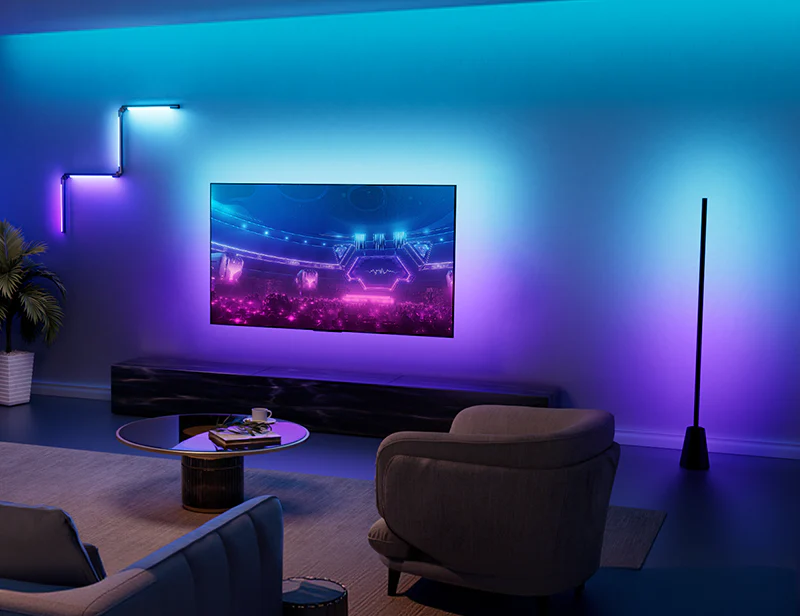
Benefits of LED Bias Lighting
More comfortable nighttime viewing
Bias lighting can make the transition between a bright television and a dark room less dramatic. Many people consequently find long viewing sessions more comfortable.
It shouldn’t be treated as a cure for eye problems, but a properly illuminated room can certainly feel more pleasant than staring at an extremely bright display in total darkness.
Better perceived contrast
This is one of the most interesting advantages.
Bias lighting doesn’t change the television’s hardware contrast ratio. Instead, the surrounding illumination changes how your visual system perceives the image.
The result can be the impression of richer blacks and stronger contrast.
Improved atmosphere
For gaming and entertainment, RGB lighting can dramatically change the character of a room.
Screen-reactive lighting takes this further by effectively extending the colors of the image beyond the physical edges of the television.

Cleaner-looking setup
Even inexpensive LED strips can make a wall-mounted TV or desk setup appear more intentional.
Because the strip itself is hidden behind the screen, viewers mainly see the reflected glow rather than individual LEDs.
Potential Drawbacks
Bias lighting isn’t automatically beneficial simply because LEDs are installed behind the television.
One common problem is excessive brightness. If the wall behind the display becomes a giant glowing light source, the effect can become distracting.
Another is poor color quality. Cheap white LEDs sometimes have a strong blue or green tint.
RGB systems can also become distracting when they’re constantly changing colors during movies. Some people love screen synchronization; others find themselves paying more attention to the lights than the film.
Installation can also be troublesome. Adhesive strips may eventually detach, particularly from warm or dusty television backs.
Finally, advanced synchronized systems can cost considerably more than a simple white LED strip.
Does Bias Lighting Reduce Eye Strain?
This claim needs some qualification.
Watching a bright screen in a completely dark environment can be uncomfortable because of the large difference in luminance between the display and its surroundings. Adding moderate background illumination reduces that contrast.
For some viewers, that makes extended viewing considerably more comfortable.
However, eye discomfort can have many causes—including screen brightness, viewing distance, dry eyes, glare, extended focusing, and insufficient breaks. Bias lighting shouldn’t be viewed as a medical treatment.
What Color Temperature Is Best?
For traditional bias lighting, around 6500K is generally the target.
If your priority is simply creating a cozy room rather than maintaining accurate perception of the television image, warmer temperatures such as 3000–4000K may be more pleasant.
The priorities can therefore be summarized simply:
| Use | Recommended lighting |
|---|---|
| Movies with accurate colors | ~6500K white |
| Photo/video editing | High-quality ~6500K white |
| Everyday TV | Adjustable white |
| Gaming | RGB/RGBIC |
| Decorative setup | RGB/RGBIC |
| Immersive entertainment | Screen-synchronized RGB |
Brightness Matters More Than You Might Think
A common mistake is making bias lighting far too bright.
The goal of traditional bias lighting isn’t to illuminate the entire room. You want a relatively subtle glow behind the display.
If you constantly notice the illuminated wall while watching television, there’s a good chance the lighting is brighter than necessary.
A dimmer is therefore one of the most useful features a bias-light system can have.
The Wall Behind Your TV Matters
LED bias lighting works by reflecting light from the wall, which means wall color affects the result.
A neutral white or light gray wall generally produces the most predictable effect.
A red wall will naturally influence reflected light. The same applies to strong blue, green, or yellow paint.
This matters particularly when you’re trying to maintain accurate color perception.
For decorative RGB lighting, wall color is less critical, although it can still noticeably change how individual colors appear.
LED Strip Density
LED density determines how closely individual diodes are positioned along the strip.
Higher-density strips generally produce a smoother glow, especially when the TV is mounted relatively close to the wall.
With low-density strips, individual bright spots can sometimes become visible in reflections.
Diffusers can help, but they’re usually unnecessary when the strip is properly positioned behind a television and the wall provides sufficient diffusion.
RGB vs RGBIC
Standard RGB strips generally display the same selected color across a large section—or sometimes the entire strip.
RGBIC technology allows independently controlled segments.
That means one part can be red while another is blue, green, or yellow.
This makes RGBIC much better suited to animated gradients and sophisticated screen-sync effects.
However, if you’re only interested in neutral white bias lighting, RGBIC provides little practical advantage.
Installation: Where Should the LEDs Go?
For a television, LED strips are normally attached around the back perimeter rather than directly along the visible front edge.
Leave some distance between the strip and the outer edge so the LEDs remain invisible from normal viewing positions.
A common layout covers:
- Top edge
- Left side
- Right side
- Bottom edge
Some inexpensive kits illuminate only three sides. That can still work well, particularly when the television sits on a cabinet rather than being wall-mounted.
Before applying the adhesive, clean the surface carefully. Dust and oils dramatically reduce adhesion.
Also avoid sharply bending ordinary LED strips around corners unless the strip is specifically designed for it.
USB vs External Power Supply
Basic LED bias-light kits are often powered through a television’s USB port.
This has one major convenience: the lighting may turn on and off along with the TV.
However, USB ports have limited available power. Large or particularly bright LED systems may require a separate power adapter.
Advanced RGBIC and screen-sync systems commonly use their own power supplies anyway.
Bias Lighting for Computer Monitors
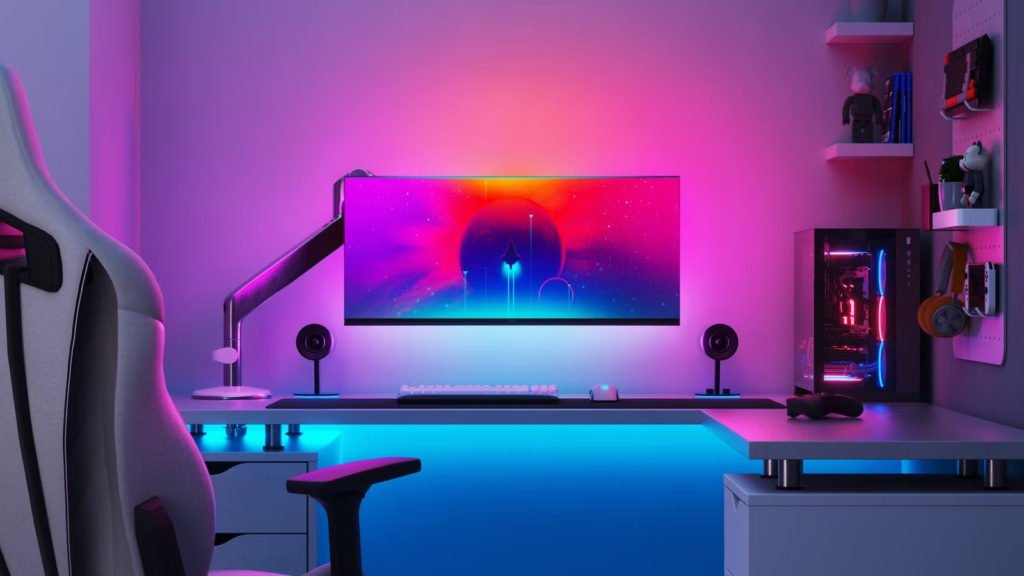
The same concept works extremely well with desktop monitors.
A subtle white glow can make nighttime productivity more comfortable, while RGB lighting works particularly well for gaming.
Monitor installations also have an advantage: the display is usually relatively close to a wall, allowing even modest LED strips to produce a strong reflected effect.
Dual- and triple-monitor setups require more planning because you want the illumination to look continuous rather than creating several isolated patches of light.
Bias Lighting for OLED TVs
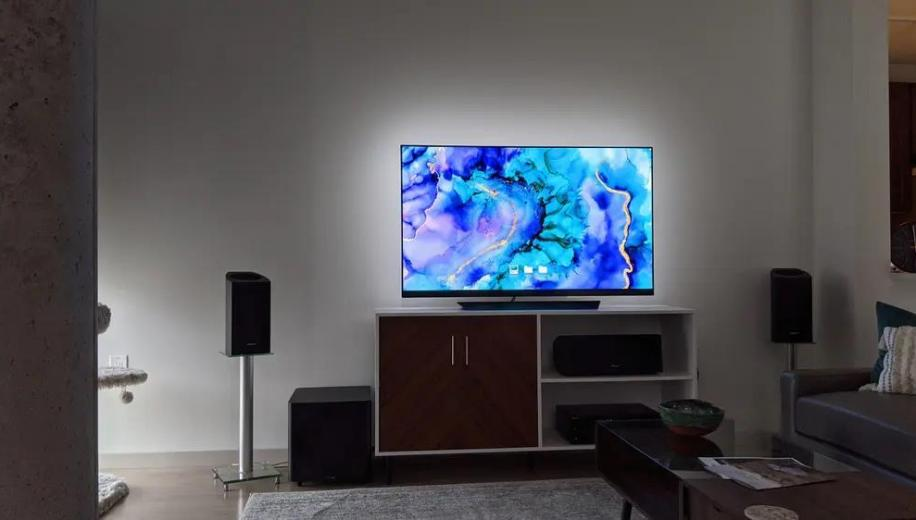
OLED televisions are already capable of producing effectively perfect blacks at the pixel level, so bias lighting isn’t necessary to compensate for poor black levels.
It can nevertheless be useful.
The surrounding illumination can make nighttime viewing more comfortable, while subtle bias lighting can make OLED contrast appear particularly striking.
For movie enthusiasts, a restrained neutral-white setup often complements OLED better than extremely bright RGB effects.
Gaming With Reactive Bias Lighting
Gaming is arguably where dynamic LED systems make the strongest impression.
Imagine racing at night while streetlights generate matching colors around the TV, or playing a shooter where explosions create bursts of orange illumination on the wall.
Latency becomes important here.
If the lighting changes noticeably after the image changes, the illusion falls apart. A good synchronization system therefore needs fast processing and responsive LEDs.
Gamers using 120Hz or higher refresh rates should also carefully check HDMI compatibility when considering HDMI-based synchronization systems.
Smart-Home Integration
Modern bias-light systems may support app control, voice assistants, scenes, timers, and smart-home automation.
That allows you to create routines such as automatically dimming the lights when the television turns on or switching the room into a gaming scene.
These capabilities aren’t necessary for traditional bias lighting, but they’re convenient if the rest of your room already uses smart lighting.
How Much Should You Spend?
You don’t necessarily need an expensive system.
A simple high-quality white strip with brightness adjustment can provide the core benefits of bias lighting at relatively low cost.
Spending more generally gets you features such as:
Basic systems: static white or RGB lighting.
Midrange systems: apps, RGBIC, scenes, music modes, and better control.
Premium systems: sophisticated screen synchronization, HDMI processing, cameras, smart-home integration, and advanced color mapping.
The best choice therefore depends less on price and more on what you’re trying to accomplish.
What to Look for Before Buying
For accurate movie watching or editing, prioritize a neutral white output around 6500K, good color rendering, stable brightness, and dimming.
For gaming, prioritize RGBIC, low-latency synchronization, and compatibility with your console or PC’s resolution and refresh rate.
For decorative lighting, prioritize app quality, scenes, RGBIC effects, brightness, and smart-home support.
For simple everyday television, a dimmable white strip may actually provide a better experience than a complicated RGB system.
LED Bias Lighting Review: Is It Worth It?
For such a simple concept, bias lighting can have a surprisingly noticeable impact.
Traditional white bias lighting gets the strongest recommendation from a practical standpoint. It’s relatively inexpensive, unobtrusive, and can make nighttime viewing considerably more pleasant while improving perceived contrast.
RGB lighting is more subjective. It doesn’t necessarily improve picture accuracy, but it can transform a gaming or entertainment setup.
Screen-synchronized lighting is the most impressive option visually, although it also introduces the greatest expense and complexity.
Final Verdict
Best for home theater: Dimmable 6500K white bias lighting.
Best for gaming: Low-latency RGBIC screen synchronization.
Best for workstations: Neutral adjustable white lighting.
Best for atmosphere: Smart RGB/RGBIC strips.
Best value: A good-quality dimmable white LED strip without unnecessary smart features.
Ultimately, LED bias lighting is worth considering because you can tailor it to almost any budget. If your priority is picture accuracy, keep it neutral and subtle. If your priority is entertainment, RGB and screen-sync systems open up considerably more creative possibilities.
READ ALSO: Ceiling with Cost-Effective Cove Lighting